Our playing guide
Minipunk · How to play
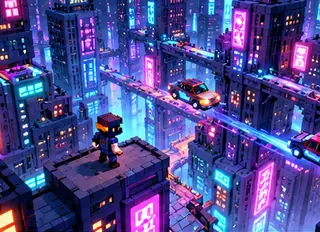
Minipunk is a short action adventure built around a voxel city and an enemy corporation. Movement, jumping and attacks take place in a fully rendered 3D world. Mouse pointer lock serves desktop play; the touch adaptation uses drag-to-look controls.
Controls
Click to start; WASD moves, the mouse looks, left click attacks, right click zooms and Space jumps. On touch, use the buttons and drag the view.
Rules & goal
- Start a new game from the menu and follow the introduction.
- Move with WASD, look with the mouse or a touch drag, and use the attack control against enemies.
- Jump to navigate obstacles; zoom can help with a more precise attack.
Beginner tips
- Keep moving while learning the range of your attacks.
- Use landscape and full screen for the clearest touch view.
- After a desktop portal pause, click Continue to reacquire pointer lock.
Progress & devices
Play in a desktop or mobile browser using the controls above. Some games save only in the current browser; clearing site data can remove saves. Pause when stepping away. Reloading is not guaranteed to preserve the current round.