Our playing guide
Q1K3 · How to play
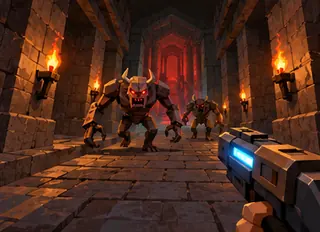
Q1K3 is a tiny first-person shooter with two authored levels, several enemy types, keys, doors and three weapons. The original map and model containers are rebuilt from their editable source assets for this local version.
Controls
Click to start. WASD/arrows move, mouse looks, left click fires, Space jumps and Q/E switches weapons. Touch buttons and drag-to-look are included.
Rules & goal
- Click the title to generate the game’s textures and audio and enter the first level.
- Move, jump and aim while searching for pickups, keys and the next doorway.
- Switch weapons with Q/E or the mouse wheel and reach the level exit.
Beginner tips
- Listen and look around a corner before stepping into a room.
- Save ammunition by aiming carefully at a clear target.
- On a phone, use landscape, drag the view to look around and use the separate Fire and Jump buttons.
Progress & devices
Play in a desktop or mobile browser using the controls above. Some games save only in the current browser; clearing site data can remove saves. Pause when stepping away. Reloading is not guaranteed to preserve the current round.